

Hey everyone, I’m told that we should make these monthly updates shorter and snappier so lets jump right in! This month has been very heavily focused on making the lives and work of the Translatonauts working on courses much much easier.
Lingonaut iOS – Two updates in one month!
From all the feedback and the crash reports we’ve gotten, it was clear that Lingonaut iOS needs more work under the hood, not only in terms of bugs and crashes but making the app work better on iPad and Mac. Build 31 focused on Quality of Life fixes and Build 36 focuses on adding visual polish and cleaning up the codebase!
Crash Resistance
We’ve made lots of changes to that end, for starters, errors that are accidentally introduced in the course making process will (in addition to being pointed out and automatically repaired by creatonaut) crash the entire app less frequently.
Going forward Lingonaut will first try to fix the syntax before skipping the question. This is a background service that will come in very useful after major updates to courses before bugs are found and reported. It also means early adopters won’t be punished as hard by being the first to stumble into these bugs!
New and remastered animations + designs!
With making Lingonaut compatible with larger screens for iPads and Android tablets it’s obvious that many of the designs, backgrounds and illustrations were really designed for smaller screens and either don’t look very good or just don’t fit on big ones!
Just upscaling them didn’t create work that we were happy with so instead many of the pictures and backgrounds you’ll see have been completely remade and retouched at up to 4x the original resolution!
We hope that as you’ll continue to learn your languages you’ll notice that things look quite a bit sharper with fewer visual artefacts than from the original designs frm years ago which were made with two sticks and a rock (and we had to share the rock!)
Now on iPad (but properly!)
Until now we’ve been focusing on iPhone and trusting the the Swift and SwiftUI framework would handle the transition to iPad, but this has left it being treated as an afterthought with the app scaling more like a big broken iPhone that you fight with than something actually nice to use.
We tried our best to make it compatible with Mac but were unable to make the same app bundle work across iOS, iPadOS and macOS simultaneously. After countless wasted man-hours it was decided to remove Mac support and instead direct people to use the Web client when it’s out which will be designed from the ground up to be used with a keyboard and mouse.

Lingonaut B36 releases on Sunday, 30 November.
Lingonaut B31-B36 Changelog
- Lingonaut Build 31 ‘Tock’ Update
- This change is focused on fixing bugs, improving quality of life and compatibility as well as bringing the course engine in line with Creatonaut 3.4! We’ve also added additional places to the beta, join while there’s space!
- Added dark theme
- Buttons are now easier to see in scrollview
- Star earned page scales correctly
- Duplicate questions will not spawn back to back
- PickOneMeaning has been rescaled to better fit like pickwords
- Doing multiple lessons in the same day will still reward XP
- Fixed user search alignment
- Added unlimited lives toggle
- Audio adjustable in settings
- Changed fonts to look less cartoony and easier to read
- Added theme selecct to first setup
- Fixed gap at top of guidebook view
- Fonts render diacritics in guides
- Added back button during setup so you can go back and change your mind
- Password manager now surfaces during sign in and sign up
- Flashcard now has delay between playing question audio and correct audio
- Added Effects volume to mute correct/incorrect sounds
- Numerous QOL and Bug fixes!
- Field Repair background service to fix improperly formatted courses without crashing
- Removed Mac compatibility because we just had too much trouble and you’ll have the web client soon anyway
- Improved iPad compatibility so it takes more advantage of the space instead of just a big iphone layout
- Remastered and Remade designs at far higher resolution for more polish!
- Even more great changes!
Supercharging Creatonaut
Creatonaut, our course creation tool built for course creators but usable by everyone for free has received the most updates it has ever had in a single month, one every few days!
Everything has been laser focused on making things as easy as possible for them and to that effect we’ve shipped tons of changes, a new health report when exporting to pinpoint any issues as well as a beautiful new simulator that almost perfectly mirrors the iOS app and now lets you preview the course tree you’re creating for your course too!
That’s just a few of the features and they’re not even the biggest changes! You can view the full Changelog and well as screenshots below:
Creatonaut 3.4.0-3.4.7 Changelog
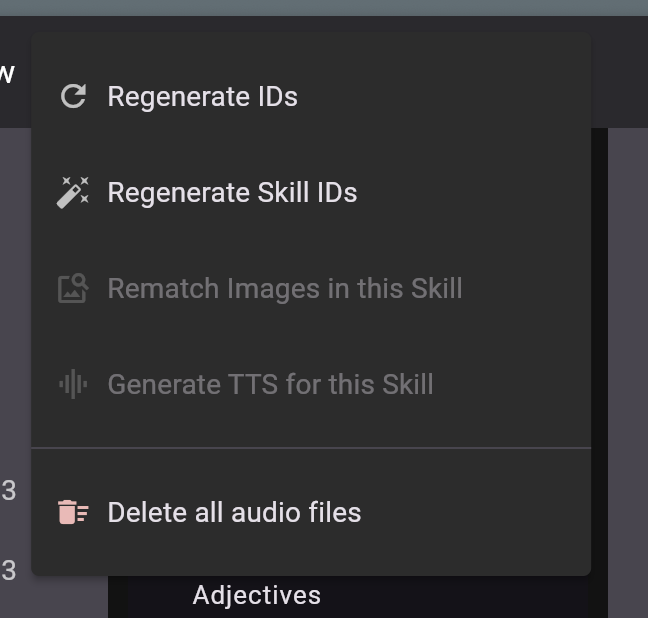
- Added Generate TTS for existing questions open in the tools menu
- Added extend lesson option next to automation wizard button to add new lessons without deleting existing ones
- Added ability to drag and drop questions between lessons
- Massive overhaul to the preview window to bring it into parity with the IOS app
- Moved hosting providers from US To EU
- Should have 3x increase and quota for text to speech through parallelised requests to google
- Tree view is now shown in the preview window
- Loading speed of Creatonaut in browser is now up to 2.5x faster depending on network connection
- Sharing of courses is now up to 5x faster depending on network connection
- Lightmode is now the default view
- Easy light/dark mode switch in the top right menu
- Added heading/subheading/bulletpoints/bold/italic/underline/image insert toolbar to guide editor for easier editing by people not familiar with markdown
- Automation wizard will now try to match images to words in ImagePick questions automatically (but double check them!)
- Added Delete all audio files button under tools tab for a fresh start or when replacing text to speech with recorded speech
- Added delete audio button for fields that didn’t already have it in all questions.
- You no longer need Audio for saving audiomatch questions and can come back to afterwards
- Editor will now highlight all questions missing audio of any type
- The Wording for WriteWords TL<>Translation has been fixed
- The diamond shape of skills is now reflected in Creatonaut too
- Fixed fonts which appeared weird
- Preview now visible by default
- History is now much more thorough and will show specifically which questions were changed by who with more descriptive entries
- Added button to resize preview window back to normal
- Project will now more reliably stay in browser cache instead of being wiped on refresh (still export your project regularly!)
- Pressing next in the simulator moves to next question in simulator and the editor
- Lessons are now (enabled by default but can be adjusted in view) separated by stars
- App will now check for issues in the course during export (will not prevent you from exporting though!)
- Don’t have to manually save question changes every time, (but still good practice!)
- Wizard will now try very hard to not have the same question types back to back
- Export checker will point out when you have the same question types back to back and where
- And so much more! (I accidentally deleted the changelog and had to rewrite from memory)
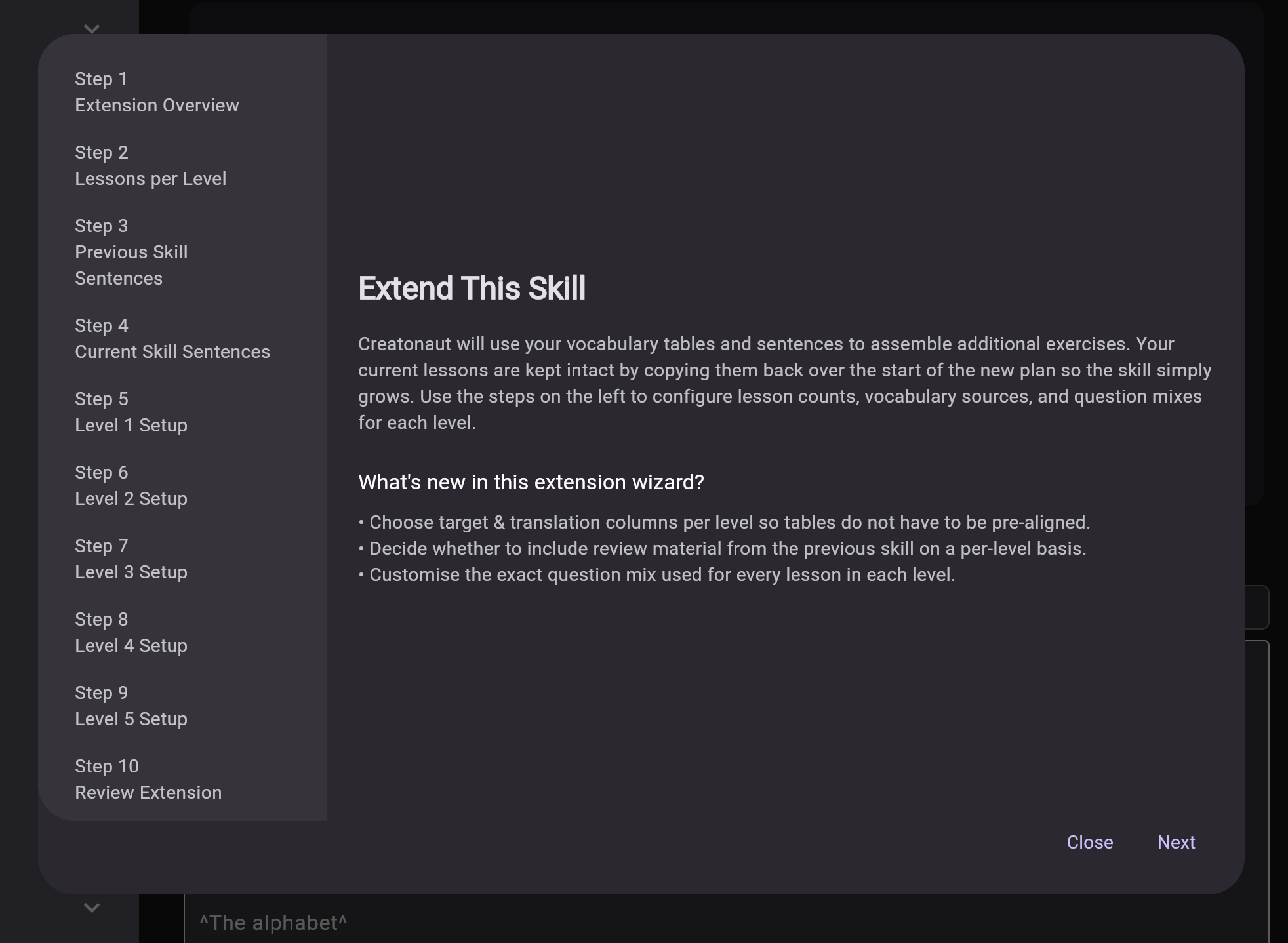
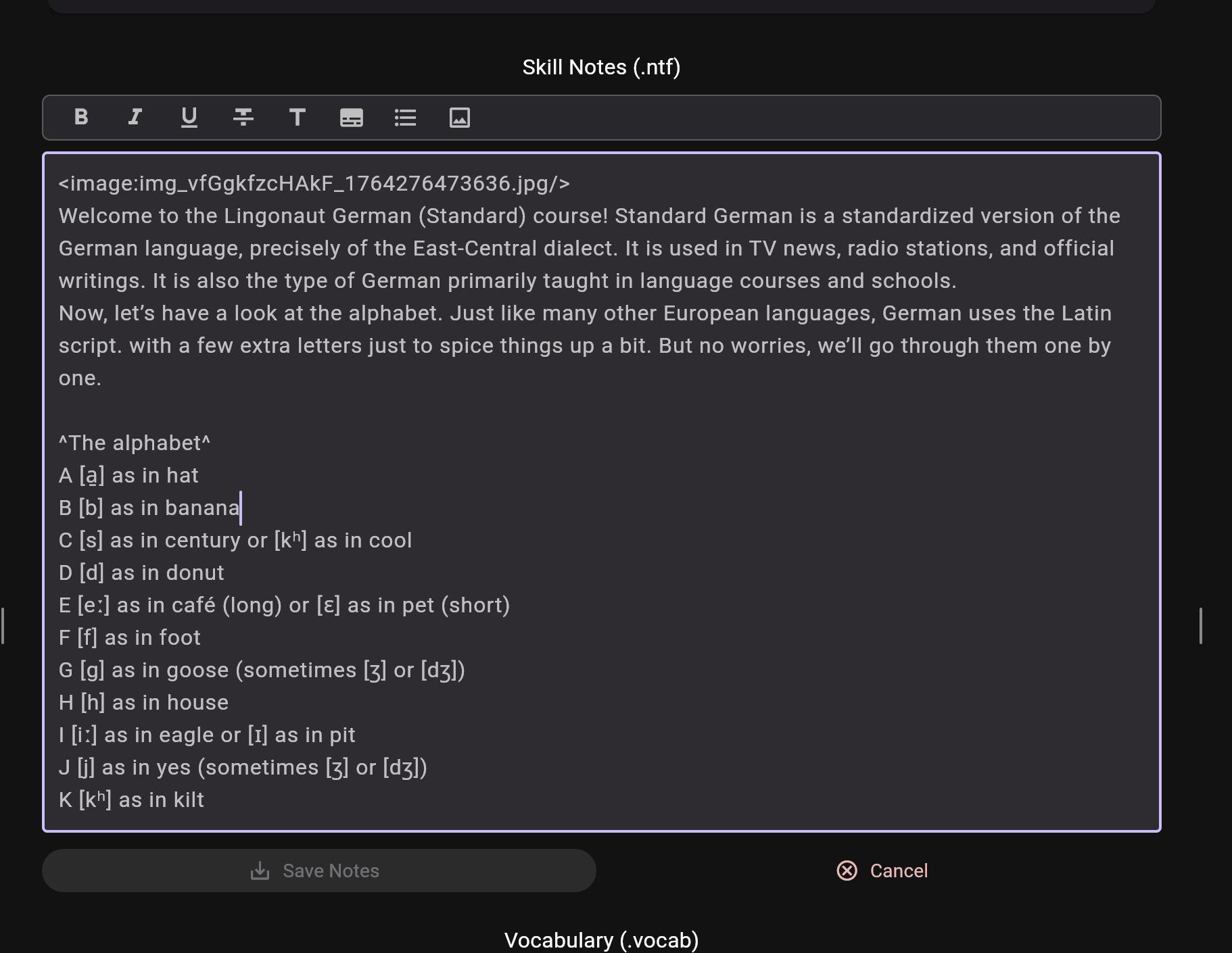
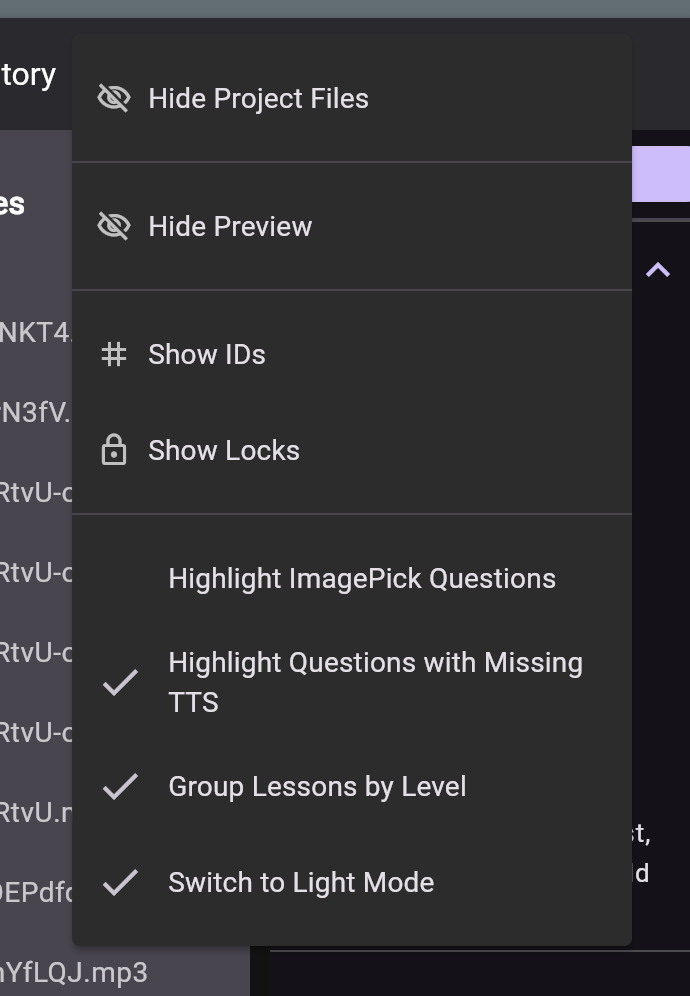
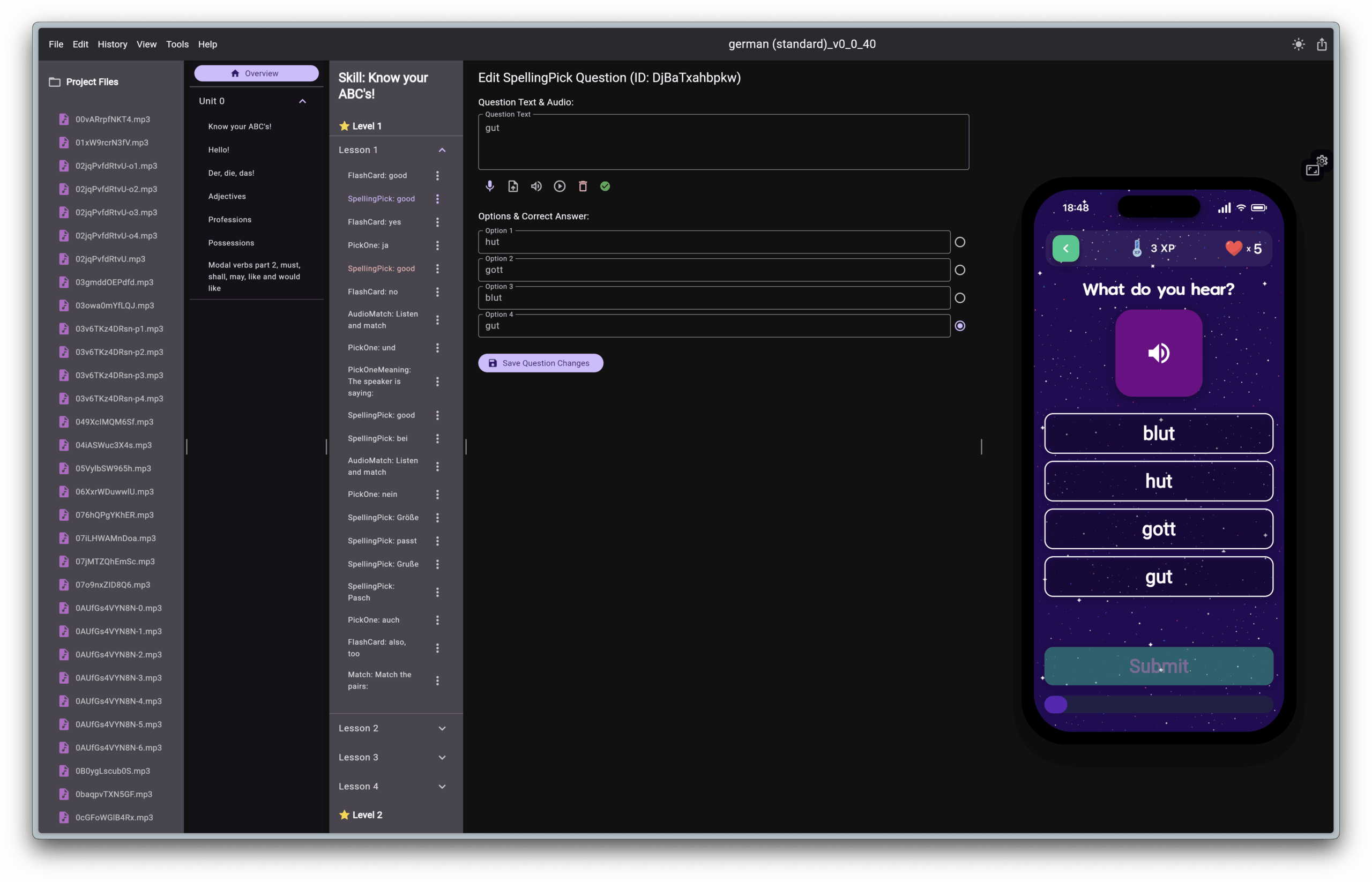
It’s now easier than ever to use Creatonaut and if you’re someone who wants to help us in creating new courses please join our launchpad! If you want to just have fun and explore with Creatonaut you can do that too! There’s no log in required.
The Patrons have spoken, Android will come before Web!
We ran a Patron-only poll as a patron benefit last month to decide the direction our project will take, do we take on the Web client next or Android? One month later, the answer is clear:
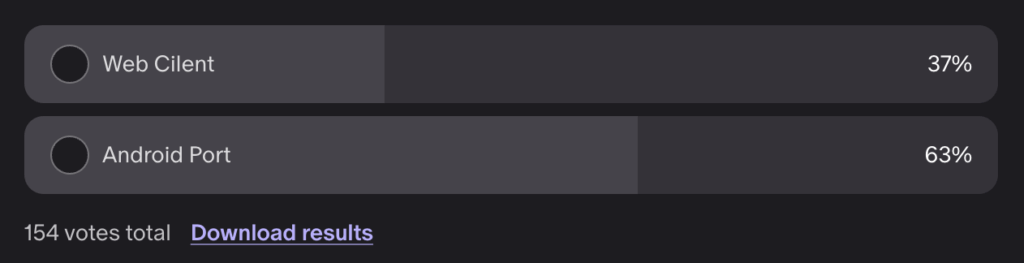
People want Android much much more! So that’s what we’ll prioritise. We want to get the alpha out by the end of the year but it’s not something we’ll rush.
Once again, because of our every-class-is-first-class policy, you can rest assured that the polish and quality of the web and android client will be at parity with the iOS app.
We will continue work on the both ports in the background, but if you want to help us and have programming experience, let us know!
We won’t be making the same mistake we did with the iOS beta – it will not be released until its in a state we are happy and proud of, regardless of pressure.
Terrestrial Tier Patrons and above will get access to the new client ~3 months before the Open Alpha then Beta
Venus, Mercury and Lapsed Patrons will get access to the new client ~1 month before the Open Alpha then Beta
(This is to add more value to the higher tiers and also help with surviving long enough to get it out!)
If you want to support the mission and help us get Android and Web over the finish line (and it is desperately needed, costs are going up and funding is going down) please take a look at becoming a Patron. You will get unique perks and cosmetics as well as our gratitude!
We’ve created a new Tiers explained page to go through all the membership tiers and perks! We’ve added even more perks too to boost value for your money without paywalling features from non-patrons.
We will always remain ad-free, paywall free and free of cost.
German and Czech courses
The long awaited overhauls to the German and Czech courses are here! With all-new skills and speech for every single question with human recorded audio gradually replacing text-to-speech as it’s recorded.
🇨🇿 Czech course update 15/11/25 🇨🇿
- Redone all questions for Adjectives and Nouns skills
- Changed images for Adjectives and Nouns skills
- Reformatted and corrected guides for Adjectives and Nouns skills
- Rearranged Adjectives and Nouns skills to appear side by side now
- Added text to speech for all Adjectives and Nouns skills questions
🇩🇪German course update 27/11/25🇩🇪
- Added lots of new lessons
- Added images to all the skills and their notes
- Revised and reformatted guides
- Added text to speech for all the questions (preparing for real speech soon!)
- Tons of new content!
A Mystery announcement and a surprise
Some might have seen some memeposting on Reddit and BlueSky that seems awfully cryptic! What could it mean?
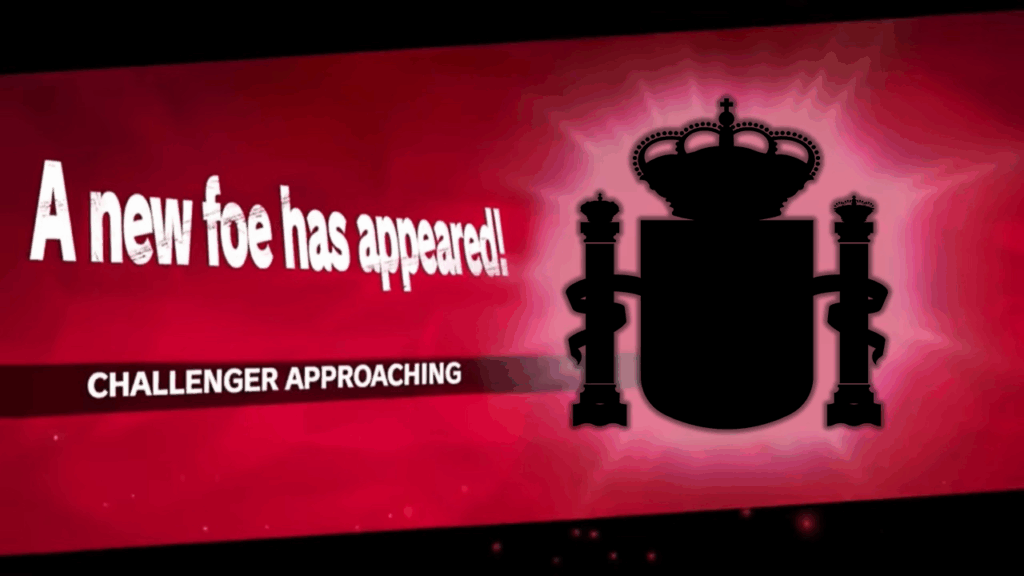
We also have a new video coming out soon on our YouTube channel, so make sure you keep a watch there! It’s almost finished and we can’t wait to show you.
Other news
- Hello Helsinki! 🇫🇮 – We have moved our server infrastructure from the U.S to Helsinki, Finland! All Lingonaut infrastructure is now within EU/UK territories, thus completely covering all Lingonauts under GDPR protections
- Make sure you Visit our BlueSky and Twitter! – We regularly post niche language facts and updates on both. A follow and retweets are appreciated as it helps us get word about the project out!
That’s all for this month! We’ll see you here next month, same-ish time and same-ish place!
Leave a Reply